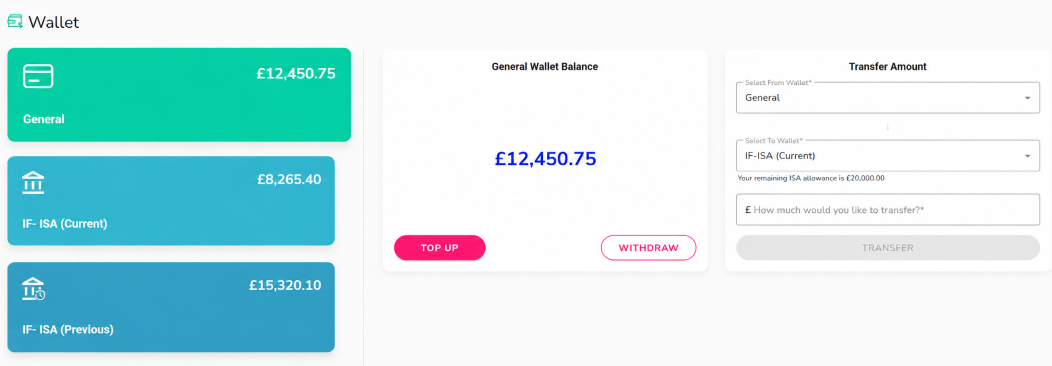
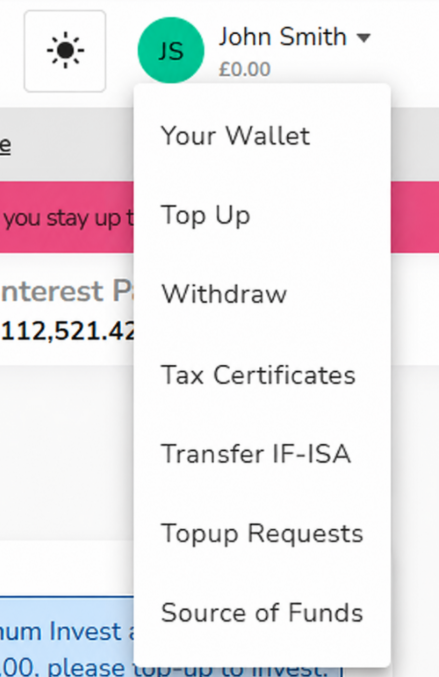
You can transfer available funds between your Kuflink wallets directly from the Your Wallet page, which is accessible in the top-right hand corner drop down menu.
Under ‘Transfer Amount’, select the wallet you would like to transfer funds from, followed by the wallet you would like to transfer them to. Enter the amount and select ‘Transfer’.
When transferring funds from your General Wallet into your IF-ISA (Current) Wallet, any amount transferred into your IF-ISA must be within your available allowance and is subject to ISA eligibility.
If you transfer funds from either of your IF-ISA wallets into your General Wallet, the funds will leave the ISA wrapper. You should consider this carefully before completing the transfer. Only the Current IF-ISA funds offer a flexible ISA meaning the funds can be replaced, any funds removed from the IF-ISA Previous wallet cannot be replenished.
If you intend to transfer your IF-ISA to another ISA provider, funds should remain within your IF-ISA wallet and be transferred using the formal ISA transfer process to retain their ISA status.
When an IF-ISA investment is repaid, the funds will automatically return to the relevant IF-ISA wallet based on the tax year they relate to.